UI Preferences
-
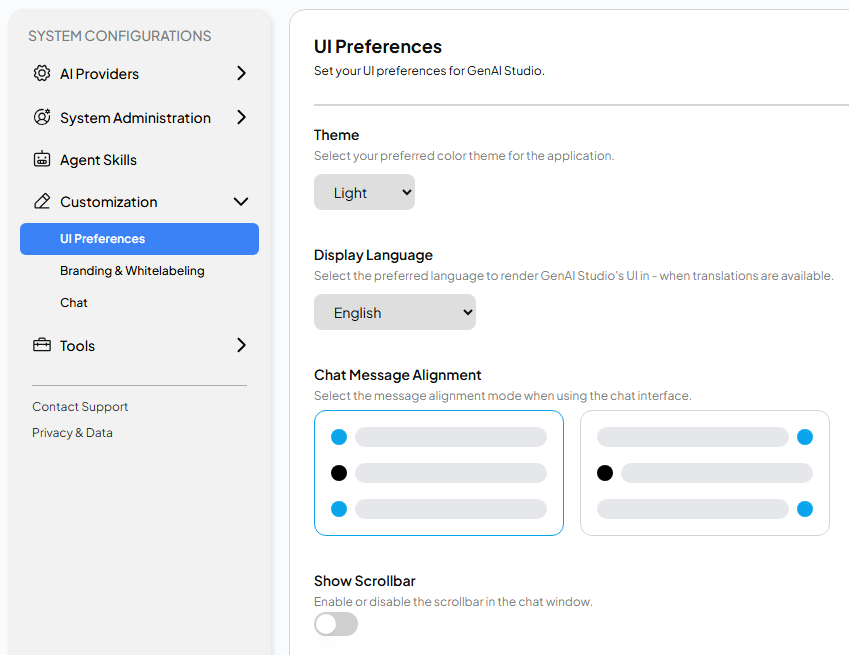
Theme: There are two themes available to choose from.
- Default: A dark color theme, suitable for most users.
- Light: A bright white color theme, if you prefer a white background, you can choose this theme.
-
Display Language: Currently, GenAI Studio supports 5 languages.
- English
- Traditional Chinese
- Simplified Chinese
- Japanese
- Korean
-
Chat Message Alignment: You can set the alignment of messages in the chat interface.

- Left: This is the default alignment. In the chat interface,
this alignment displays both the user and AI icons together on the left
side of the screen.
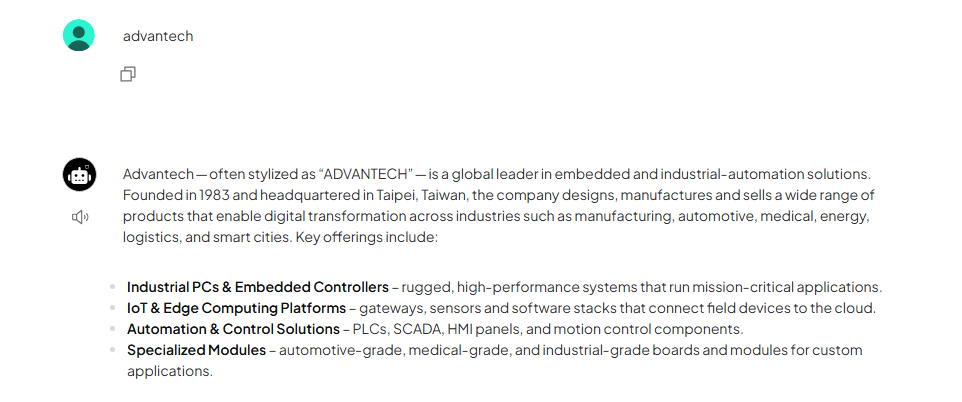
- Both: In the chat interface, this alignment displays the user and AI icons
separately on the left and right sides.

- Left: This is the default alignment. In the chat interface,
this alignment displays both the user and AI icons together on the left
side of the screen.
-
Show Scrollbar: Whether to display the scrollbar for chat messages.